Inherited a Salesforce org? Here's your first 30 days

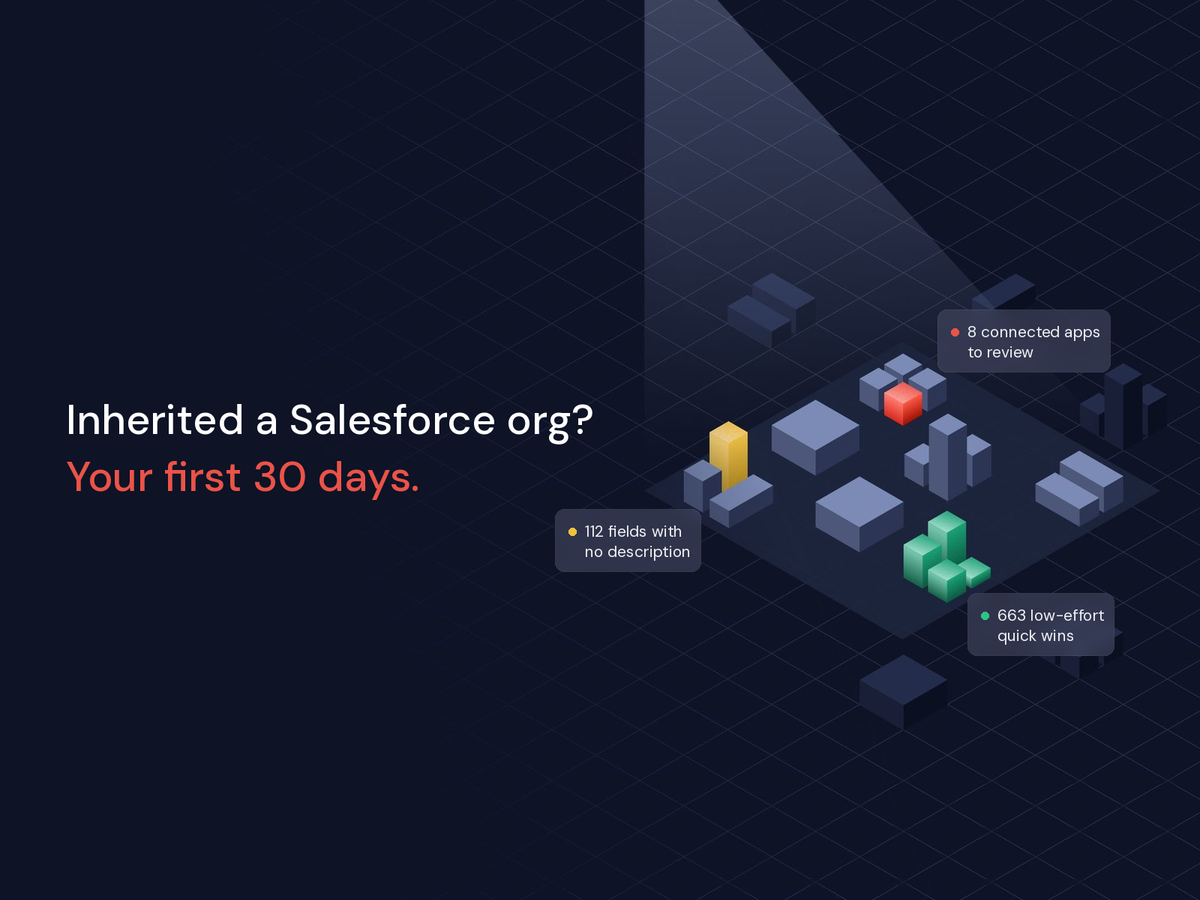
If you've spent any time on the Salesforce subreddit, you've seen this post. Someone just started a new job. They open Setup for the first time, and the org is a mess. Permission sets that contradict each other. Fields that look like copies of other fields. Documentation that stopped getting updated two years ago.
The replies are solid. Spin up a sandbox. Add a description to everything that doesn't have one. Turn on Event Monitoring and see what's actually used. Sit with every team and watch how they really work. Then, slowly, start cleaning. The top reply warns that the list "will be a loooong thing to do." And just as many people chime in with some version of welcome to the club.
That thread is two years old, and the question keeps coming back with a new poster and the same org. So if you just inherited one, you're in good company. In SF Ben's 2026 Admin Survey, 56.3% of admins said managing technical debt is the hardest part of their job.
So the question isn't whether that Reddit advice works. It does. The question is how long it takes when your org has thousands of users and a decade of other people's decisions baked in.
The advice is right. The timeline is the problem.
Now picture that checklist in an enterprise org. Thousands of fields. Hundreds of Flows, Process Builders, and Workflow Rules, some of them triggering each other. Dozens of installed packages. Permission sets stacked on profiles stacked on permission set groups. Documenting all of it by hand, one Setup page at a time, doesn't take a few weeks. For most orgs, it takes months.
And the whole time, you're stuck. Not because you're itching to rip things out. Nobody makes sweeping changes to an org they don't understand. That's how you break quoting on the last day of the quarter.
You're stuck because every request from the business turns into an investigation. Can we add a field to Opportunity? Sure, right after we figure out which of the three Region fields actually feeds the forecast.
Understanding the org isn't optional. Doing it by hand is.
How Solenis got unstuck
Solenis, a specialty chemicals company, has put its Salesforce org through a lot: about 25 acquisitions in 10 to 12 years, all landing on one org. Today that's 8,000+ users, 5 global business units, and nearly every Salesforce cloud.
The team running that org today didn't build it. They walked into the same situation as the person on Reddit, at enterprise scale. Gagan Singh, Technical Manager for Salesforce and Business Reporting, put it plainly: "Every business unit, every region, had its own separate process. Nobody knew the whole system, or even one process, end to end."
They didn't start by documenting. Huron, their consulting partner, had already brought in Hubbl, so the team started from a scan. Now they run one every month, plus extra scans around big projects. Quick wins go straight to Jira. Anything over 40 hours becomes a roadmap project with a partner. And they report progress to leadership with data, not anecdotes.
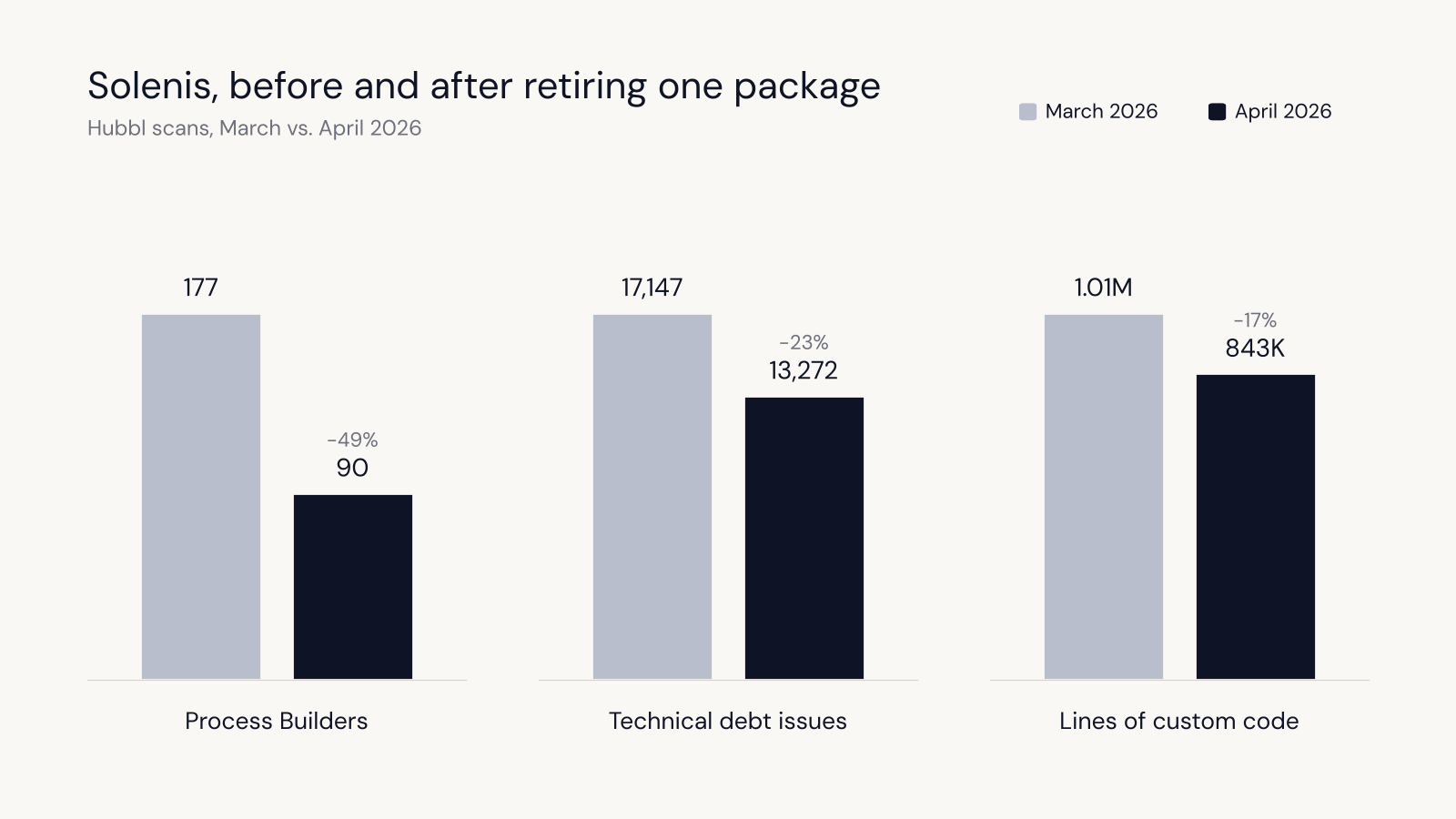
Here's what one cycle of that looks like. Hubbl flagged an installed package. Solenis decided to retire it. On the next scan, Process Builders dropped from 177 to 90, technical debt issues fell from 17,147 to 13,272, and custom code went from 1.01M lines to 843K.
Santosh Asbe, their Enterprise Architect for Front Office Applications, summed up the shift: "Before, we were doing things at random. Hubbl helped us understand the complexity of our org, quantify it, and make better decisions about what to do. Now we know where to simplify and where to standardize."
Your first 30 days, with Hubbl doing the digging
You can follow the same path. Here's how the month breaks down, and where your judgment still matters.
Days 1 to 3: See the whole org in one place
Ask your admin to approve a read-only Hubbl scan. You don't need credentials yourself, and nothing in the org changes. The scan takes about two minutes to start, and full results are ready in 20 to 40 minutes.
Salesforce's Health360 program runs on Hubbl scans, so your Salesforce account team can set one up. Or your admin can start a scan directly.
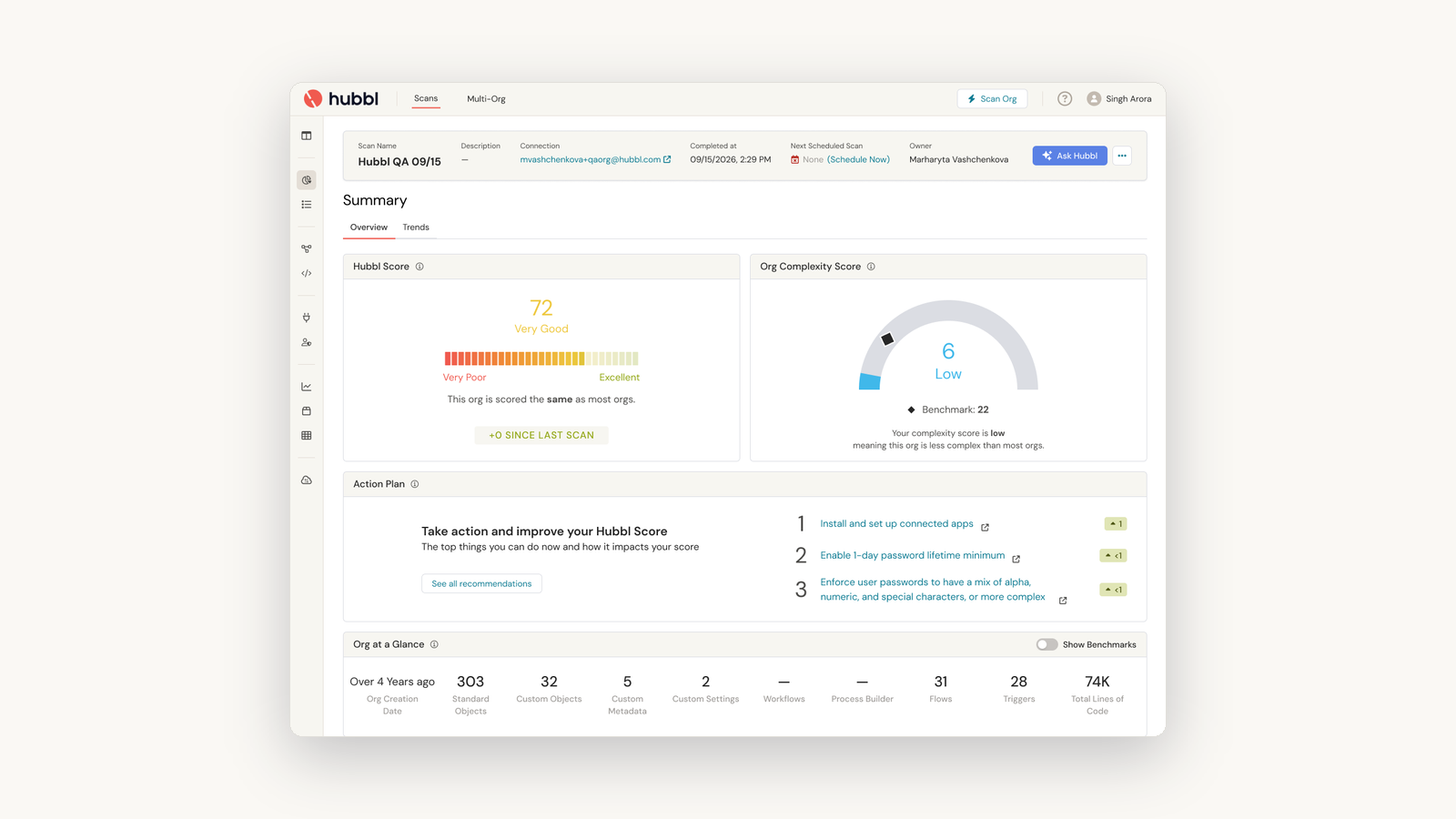
What you get back is the inventory the Reddit thread spends months building: field population and last-used dates by object, legacy Workflow Rules and Process Builders, outdated package versions, and risky-permission flags on profiles and permission sets, with user counts. Plus a Hubbl Score you'll use as your baseline.
What you still do: talk to your teams. The scan tells you what's built. Only people can tell you what they depend on and what they've learned to work around.
Week 1 to 2: Let AI draft the documentation
This is where months of work turns into days. Connect the Hubbl MCP to the AI your team already uses, like Claude, Cursor, or Agentforce Vibes. Now you can ask questions about your actual org in plain English. Which permission sets carry risky permissions? What do our case routing Flows do? What on earth does ckz_budget_limit_override mean?
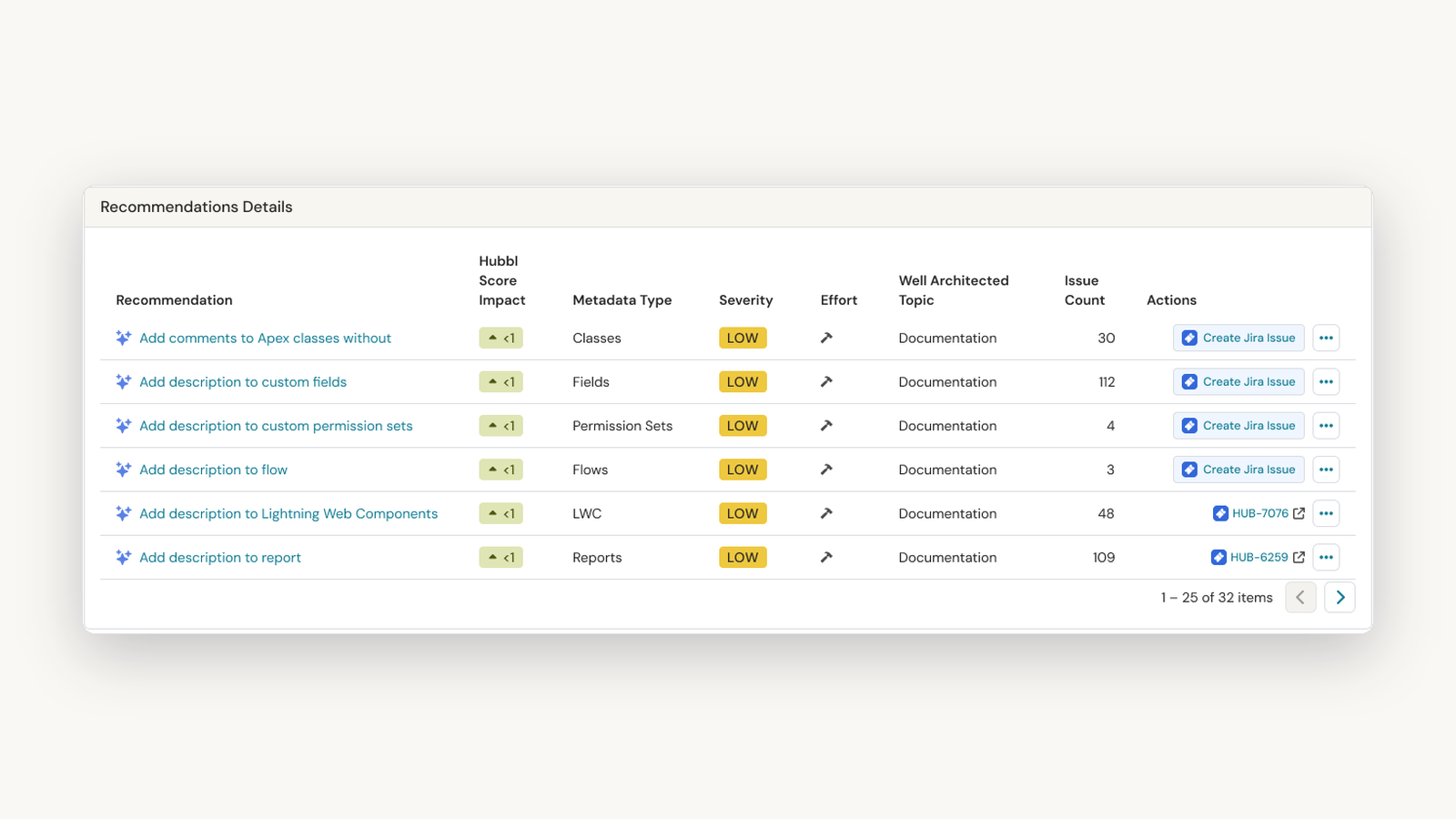
You can also ask it to draft descriptions for the fields and automations that don't have one. Your admin reviews the drafts and deploys them through your own Salesforce connection. The Hubbl MCP is read-only, so the AI works from Hubbl's map of the org, and your team decides what goes in.
What you still do: review. AI can tell you what a Flow does. Your people know why it was built.
Week 2 to 3: Let the ranking do the triage
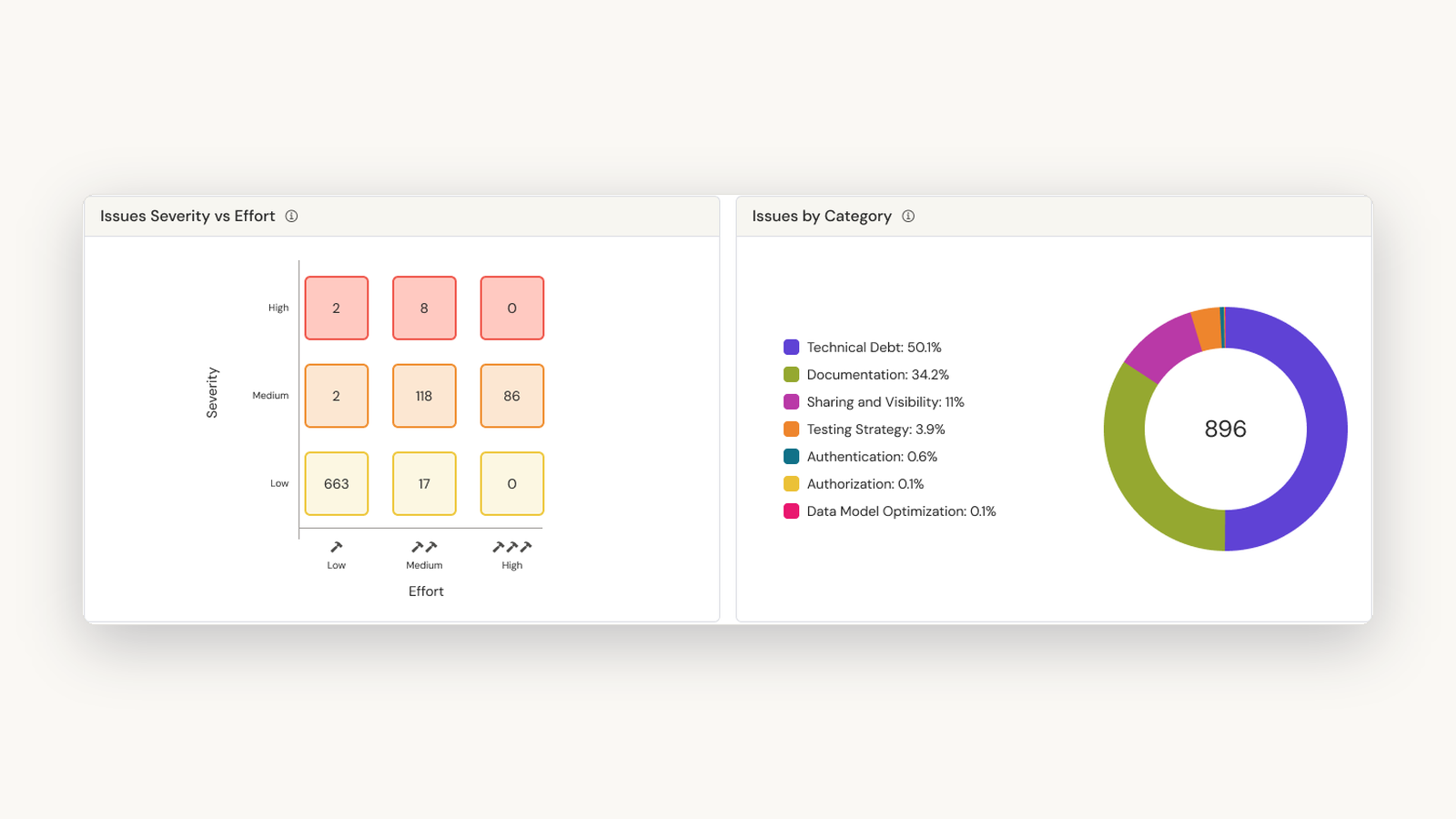
A list of 2,000 issues isn't a plan. Hubbl's Prioritized Recommendations rank every finding by priority and effort, map it to the Salesforce Well-Architected Framework, and compare it against 6,000+ other scanned orgs. That last part matters more than it sounds. It's the difference between "we have a lot of Process Builders" and "we have far more than orgs like ours."
What you still do: add business context. The Reddit thread got this right: security and access come first, and redundant fields are an annoyance, not a risk. The ranking gets you most of the way there. You know which process the CRO is watching this quarter.
Week 3 to 4: Turn findings into work
Every recommendation comes with the prompts to do the work in Claude or Agentforce Vibes, or as a Jira ticket your team can prioritize. Borrow Solenis's rule here: under 40 hours goes to the backlog, over 40 hours becomes a roadmap project. Then rescan, and you'll see exactly which issues closed.
What you still do: sequence it. You know the release calendar, the freeze windows, and which team can't absorb change during their busy season.
Next step: turn the data into a plan leadership will fund
By day 30, you've got an inventory, a ranked list, and a baseline Hubbl Score. That's the raw material for a budget request. Now it's about putting it in front of the people who approve one.
Here's how I'd build the plan from your Hubbl data:
- Findings in business terms. "177 Process Builders" means nothing to a CFO. "Every change to how we route cases takes weeks because the automation is tangled" does. Take the top findings from your ranked list and translate each one into what it costs, what it risks, or what it slows down.
- A link to what leadership already wants. If Agentforce is on the roadmap, legacy automation and messy permissions stand between you and it. Say so. Cleanup gets funded faster as the path to a priority than as a project of its own.
- Quick wins and funded projects, separated. Quick wins show momentum in your first quarter and cost nothing new. Bigger projects get a scope, an owner, and partner budget. That's the Solenis split, and it keeps a long list from stalling.
- A baseline and a reporting rhythm. Your day-30 Hubbl Score is the starting line. Rescan monthly and bring the before-and-after to every update, the way Solenis does. Nothing gets the next phase funded like proof the last one worked.
The org isn't your fault. The plan is your job.
On day one, nobody expects you to explain every Flow in the org. The people who built it are gone, and its history is its history.
By day 30, that changes. Not because you cleaned it all up, but because you can finally say what's in it, what matters, and what it'll take. That used to cost a quarter of clicking through Setup. It doesn't anymore.
Next time that post shows up on the Salesforce subreddit, you'll have a better answer than "start documenting."
Get a free Guided Org Assessment and start day one with the whole picture.
About the autor
Keep reading
Related resources



Turn the lights on. Then, fix everything.
Scan your org in 2 minutes. See what's broken, in what order to fix it — and get the prompts to do the work.