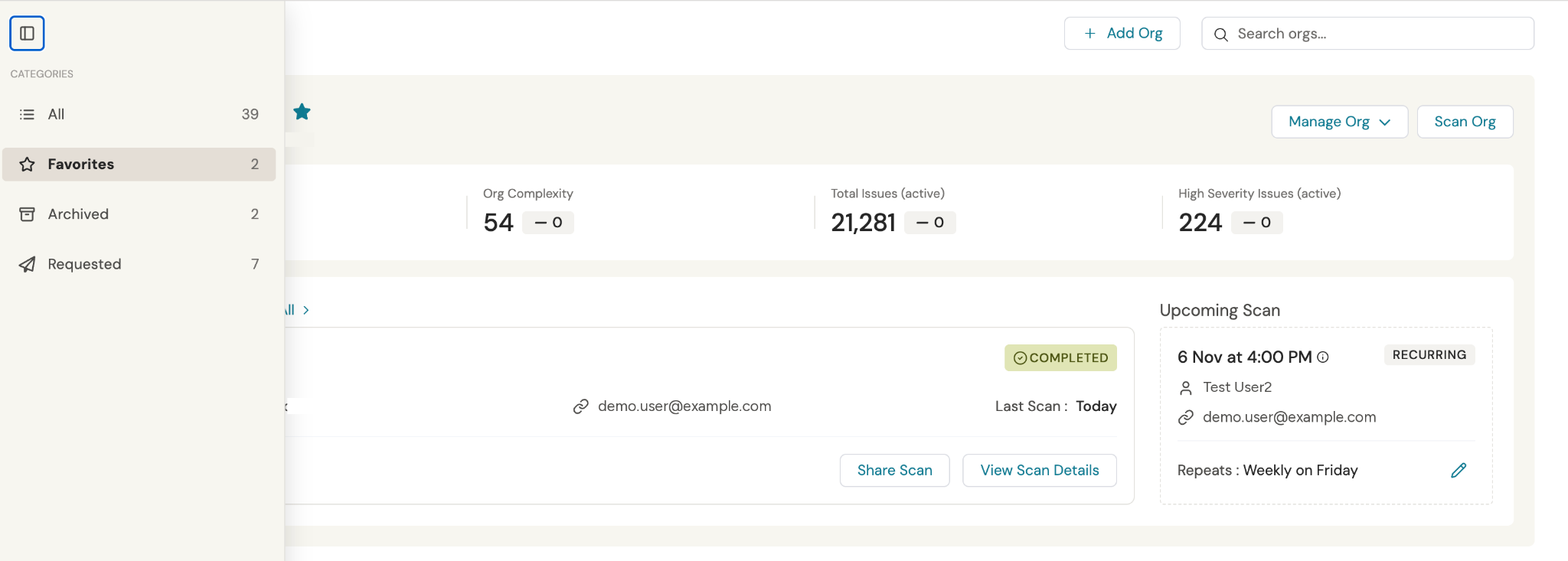
How to Customize My Orgs
What changed?
Scans list is turned into My orgs list to make orgs management easy - see whole history together, ensure next scan is scheduled, favorite or achieve.
“Run a scan” is renamed to “Scan org” and “Add org”. Number of scan steps are the same, but steps are redesigned to ensure better experience.
How to customize your view?
Mark as favorite orgs with which you work the most frequently in 3 steps:
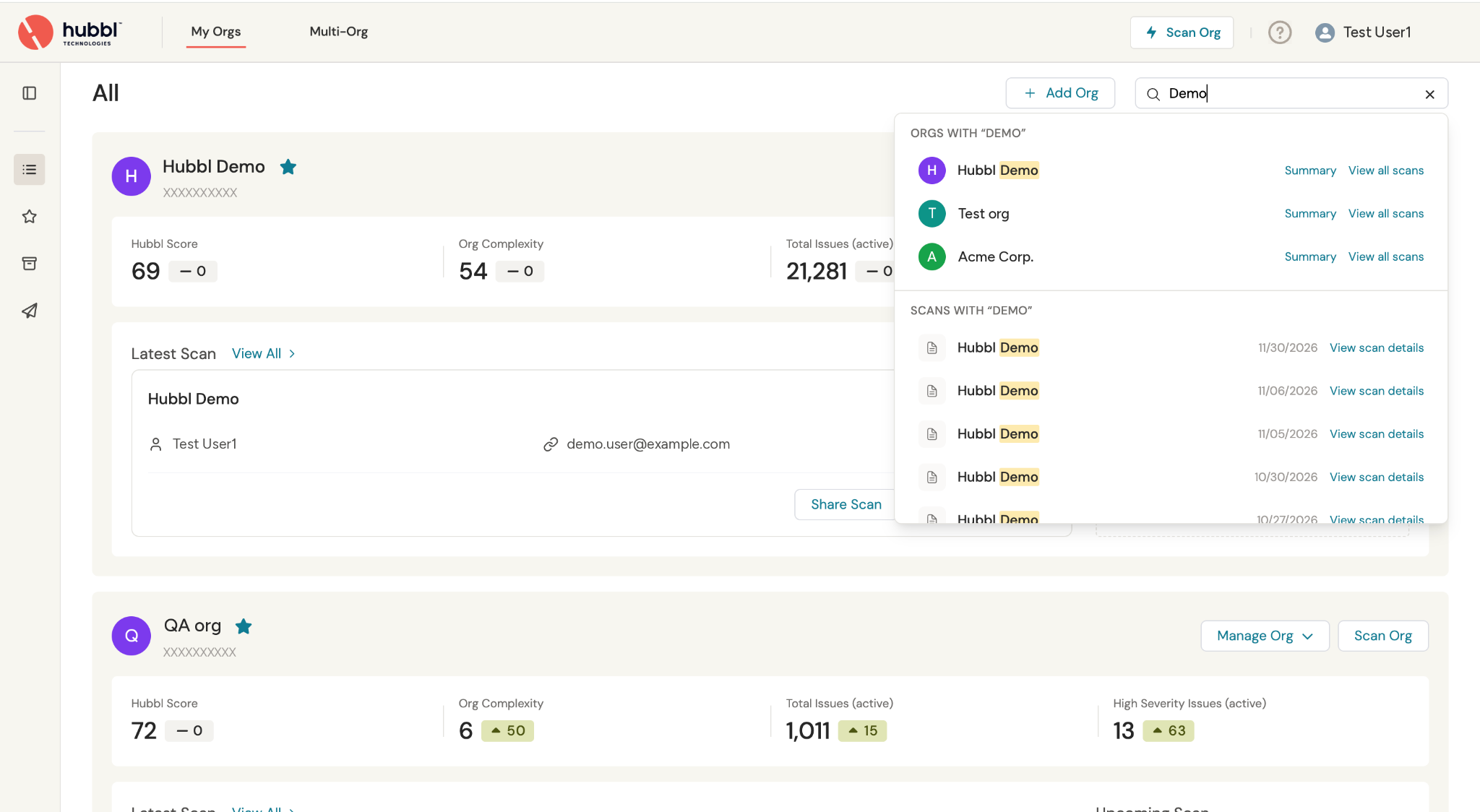
Step 1 - Find org through scroll or search. You can search by scan name, connection or Organization name
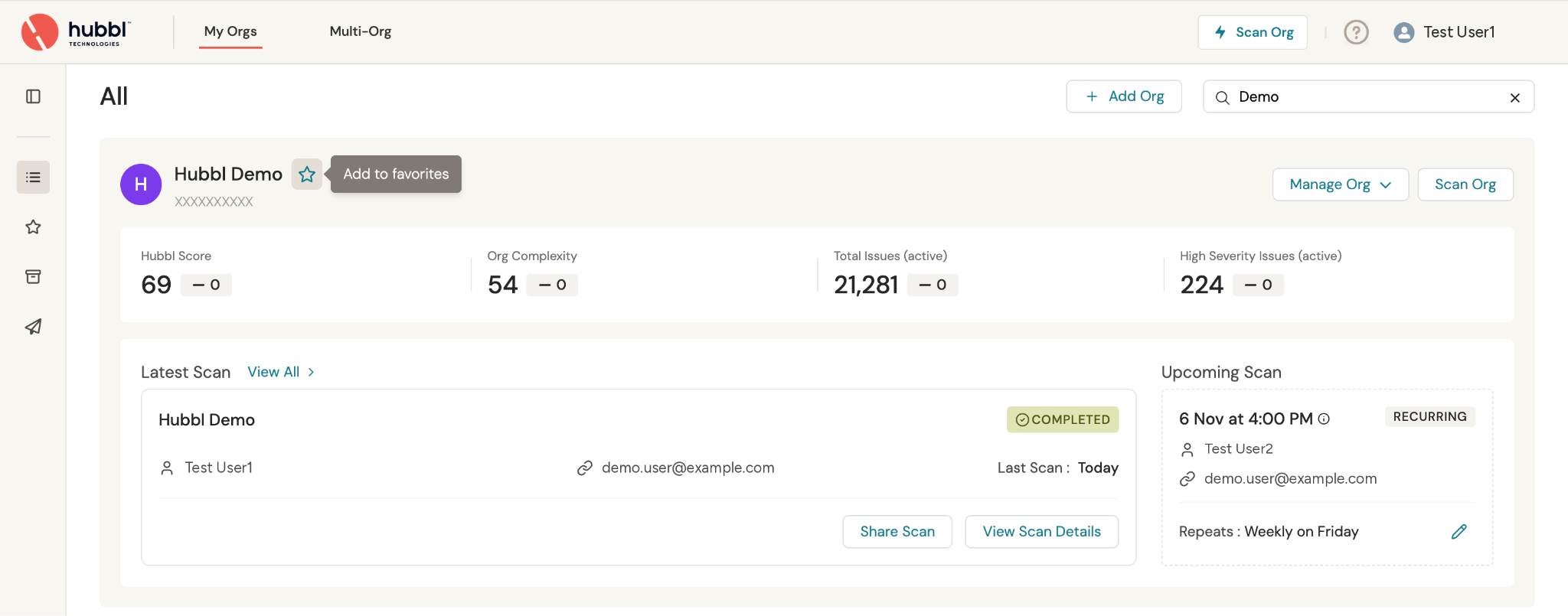
Step 2 - Mark as Favorite
Step 3 - Access Favorite list from side menu